Why ERP Systems Struggle with Financial Documentation

Most ERP systems are designed to track financial transactions with accuracy and control. They record invoices, purchase orders, payments, and journal entries while maintaining the integrity of financial data. For finance teams, this functionality is essential.

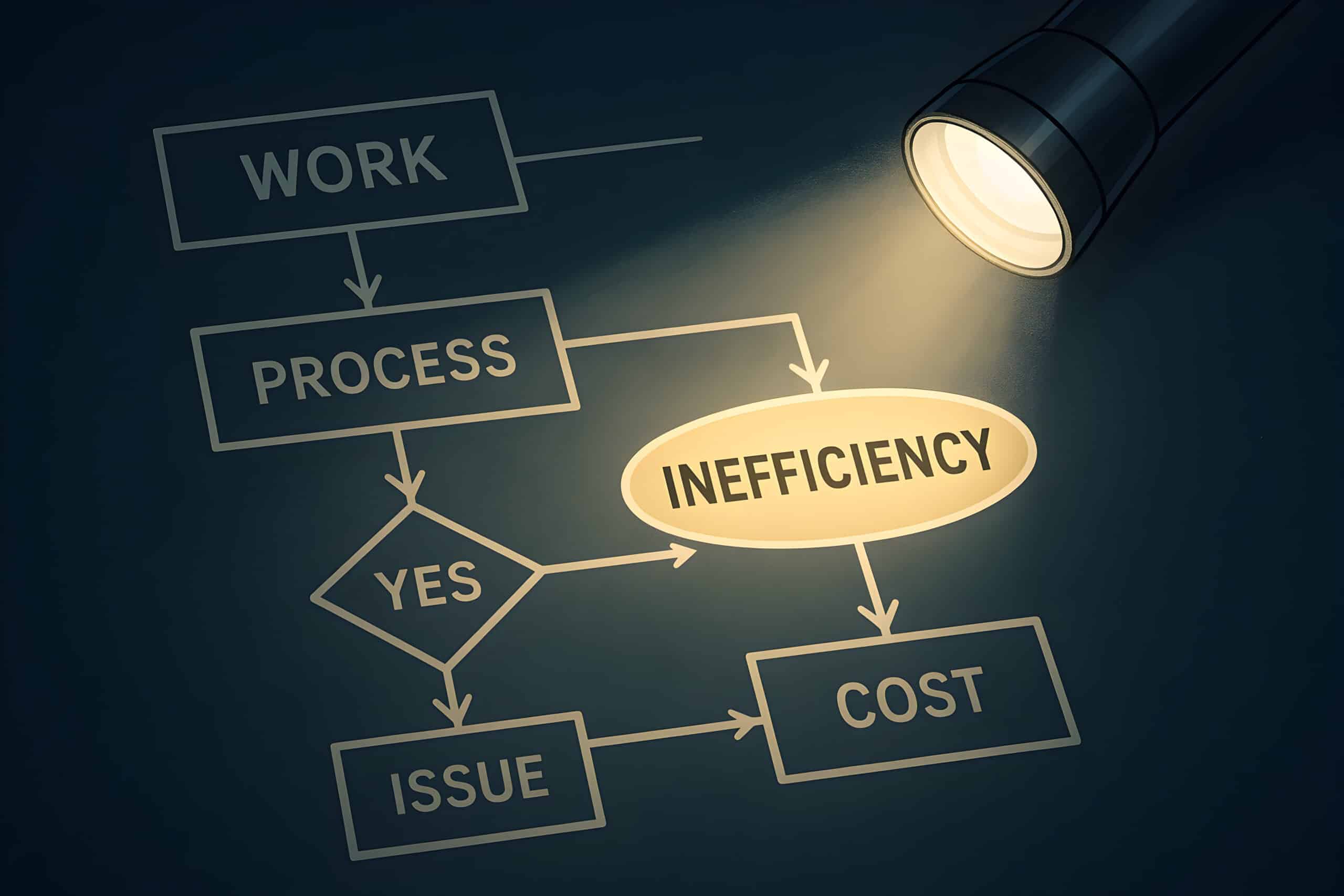
However, many organizations discover that while their ERP system manages transactions effectively, the documentation and approval processes that support those transactions often live outside the ERP.

Invoices arrive through email, mail, or vendor portals. Approval requests move through inboxes. Supporting documents are stored in shared folders or attached to email threads. When auditors or vendors request information, finance teams frequently need to search multiple locations to find what they need.

This disconnect is not unusual. It reflects a structural difference between how ERP systems are designed and how invoice workflows actually operate.

Understanding this gap is the first step toward improving accounts payable efficiency and visibility.

ERP Systems Were Designed for Transactions

ERP platforms were built to manage structured financial data. Their primary role is to ensure that accounting transactions are recorded accurately and consistently.

For example, ERP systems are very effective at:

  • recording invoice amounts and vendor information
  • posting accounting entries
  • tracking purchase orders and payments
  • maintaining financial controls and reporting

But the steps that occur before a transaction is finalized are often less structured.

Invoices must first be received, reviewed, approved, and supported with documentation before they are posted to the ERP. These steps typically involve multiple departments and individuals across the organization.

Because ERP systems are optimized for financial records rather than document-driven workflows, many organizations manage these earlier steps through separate processes such as email approvals, shared drives, or manual coordination.

Over time, this creates fragmentation in the AP process.

The Workflow Gap Around Invoices

Accounts payable is not just about entering invoice data into the ERP. It is also about managing the workflow surrounding those invoices.

A typical invoice lifecycle includes several steps before posting:

  1. Invoice receipt
  2. Document review and validation
  3. Approval routing
  4. Exception handling
  5. Supporting documentation management
  6. Final posting to the ERP

Many of these activities involve documents, communications, and approvals rather than structured accounting data.

When these steps occur outside the ERP, the organization can lose visibility into where invoices are in the process and who is responsible for the next action.

As a result, finance teams often rely on manual follow-up to keep invoices moving.

Five Signs Your ERP Is Struggling With AP Documentation

Many organizations experience the effects of this gap without immediately recognizing the cause. The following signs are common indicators that supporting documentation and workflow management are not fully aligned with the ERP environment.

Invoices arrive through multiple channels

Invoices may be sent directly to employees, forwarded through shared inboxes, or delivered through various email addresses. AP teams must often gather invoices manually before processing them.

Without a consistent intake process, invoices can be delayed or overlooked.

Approvals happen through email

Invoice approvals frequently rely on email forwarding or informal requests. AP staff may resend invoices or follow up with approvers to keep the process moving.

This approach makes it difficult to track approval status or identify bottlenecks.

Supporting documentation is difficult to locate

Attachments, approval records, and related correspondence may be stored in different folders, inboxes, or systems. When finance teams need to retrieve documentation, they may need to search several locations.

This becomes especially challenging during audits or vendor disputes.

Invoice status requires manual investigation

When vendors ask about payment status, AP staff often need to review email threads or contact approvers to determine where the invoice stands.

This slows response times and increases workload.

Audit preparation requires document searches

During audits, finance teams may need to gather approval history, supporting documents, and related records from multiple sources.

If documentation is not centralized, preparing audit responses can become time-consuming.

These challenges do not necessarily mean the ERP system is inadequate. They reflect the fact that ERP systems were not originally designed to manage document-driven approval workflows.

What Efficient AP Processes Look Like

Organizations that improve AP efficiency typically focus on connecting documentation and workflows more closely with their ERP environment.

Instead of relying on scattered emails and folders, they introduce processes that create greater structure and visibility around invoice activity.

Common improvements include:

Centralized invoice capture
Invoices enter the process through a consistent intake channel, reducing the risk of missed or delayed invoices.

Structured approval workflows
Invoices are routed to the appropriate approvers based on defined rules, helping eliminate manual follow-up.

Connected supporting documentation
Invoice records, attachments, approvals, and correspondence are managed together so that documentation can be accessed quickly.

Clear process visibility
Finance teams can determine where an invoice is in the process, who approved it, and when each step occurred.

These improvements allow organizations to maintain the strengths of their ERP system while addressing the workflow and documentation needs that exist around financial transactions.

Separating Transactions From Workflows

Modern finance teams increasingly recognize that transaction systems and workflow systems serve different purposes.

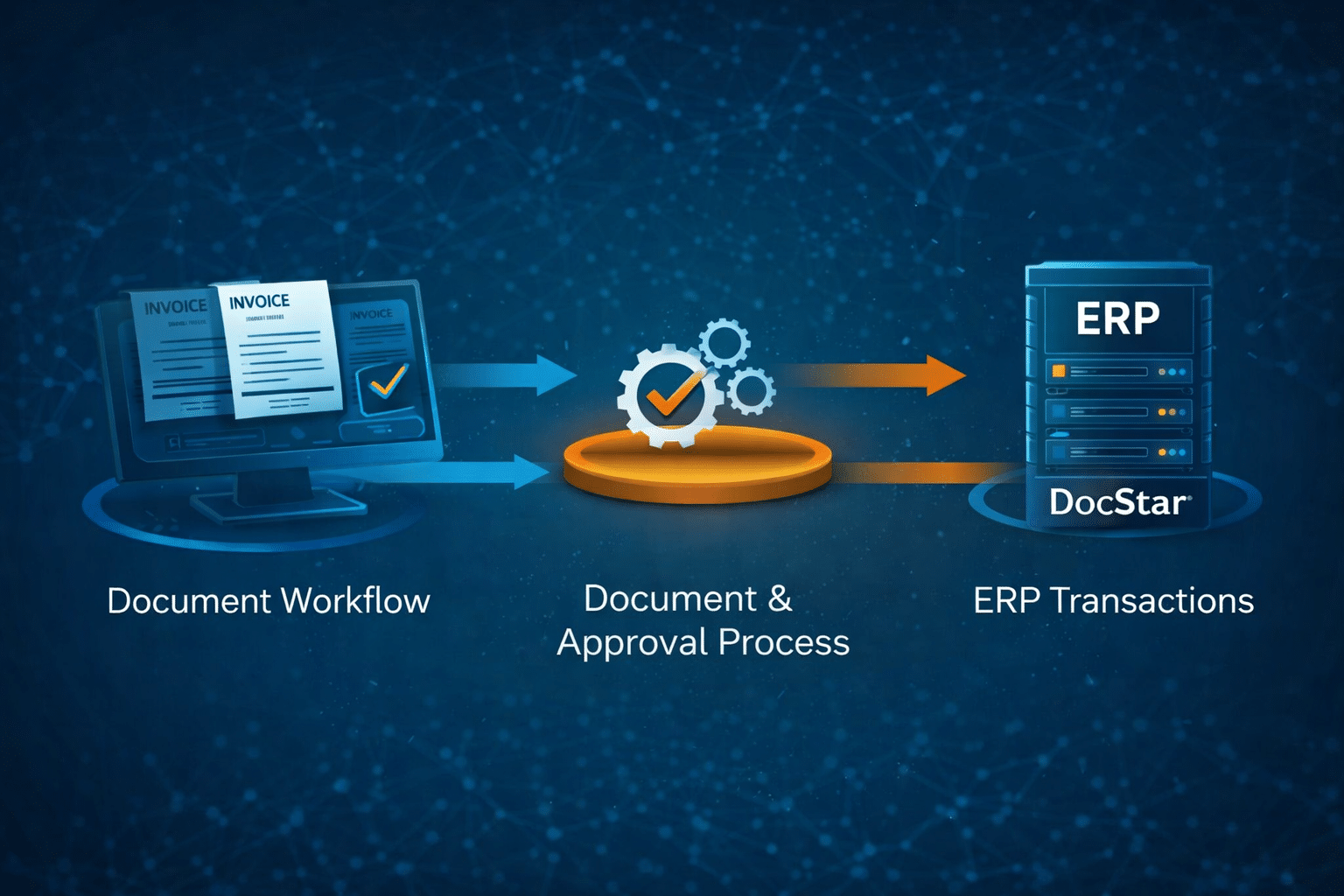
ERP platforms remain the system of record for financial transactions and accounting controls. Workflow and content management platforms manage the documents, approvals, and operational processes that occur before those transactions are finalized.

When these systems work together, finance teams gain greater control over the full invoice lifecycle.

They can respond to vendors more quickly, retrieve documentation with less effort, and maintain clearer visibility into approval activity.

Rather than forcing ERP systems to manage documents and workflows, organizations allow each system to perform the role it was designed for.

Improving Visibility Across the AP Process

If invoices, approvals, and supporting documentation currently exist across inboxes, folders, and disconnected systems, the AP process may benefit from a more structured approach.

Connecting document workflows with ERP transactions can reduce approval delays, improve access to documentation, and provide greater visibility into how invoices move through the organization.

For many finance teams, improving documentation management and workflow visibility becomes a key step toward building a more efficient and scalable AP operation.

To explore how your organization compares, download the AP Process Visibility Checklist to evaluate how invoices, approvals, and supporting documentation are managed across your accounts payable process.

Evaluate Your AP Process Visibility


Quickly assess how invoices, approvals, and supporting documentation move through your AP process.


Download the AP Visibility Checklist

Related Articles